


Access filter
Weblication® already has an access filter as standard to block unwanted access with unnecessary or unneeded parameter calls. This filter can be called up via the Weblication® CMS panel in the Analysis block.
More and more bots and tools (including SEO tools) are calling up individual content pages with bundles of varying and often completely unnecessary parameters, causing uncontrolled access that blocks entire web servers.
To solve this problem, you can define filters for parameters, bots and forms in Weblication®.
Operation
The access filter tool can be used to define URL calls with regard to various parameters, bots and additional validators for forms.
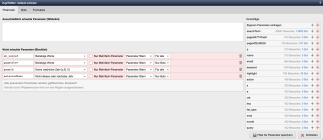
Access filter parameters
The access filter for parameters is divided into the following areas.
'Only permitted parameters (whitelist)':
In this area, you enter the parameters that are exclusively permitted. This represents the whitelist, for which the following must be observed:
All deviating parameters are filtered!
Calls by maintenance users are excluded from the rules.
There are also system parameters that are generally permitted.
'Parameters not allowed (blacklist)':
In this area, you enter the parameters that are not allowed. This represents the blacklist, for which the following should be noted:
All matching parameters are filtered or blocked!
Calls by maintenance users are excluded from the rules.
'Suggestions':
Suggestions resulting from accesses with corresponding parameters are listed in the right-hand column. You can add these to the whitelist (+ sign on the left) or blacklist (+ sign on the right, highlighted in red) by clicking on them.
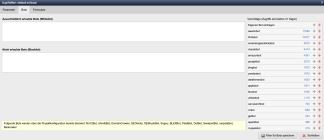
Access filter bots
The access filter for bots is divided into the following areas.
'Only allowed bots (whitelist)':
In this area, you enter the bots that are exclusively allowed. This represents the whitelist, for which the following should be noted:
All deviating bots are blocked!
'Not allowed bots (blacklist)':
In this area you enter the bots which are not allowed. This represents the blacklist, for which the following should be noted:
All matching bots will be blocked!
'Suggestions':
The right-hand column lists suggestions resulting from access with corresponding bots. You can add these to the whitelist (+ sign on the left) or blacklist (+ sign on the right, highlighted in red) by clicking on them.
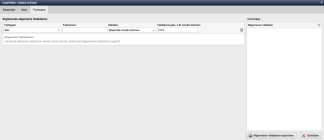
Access filter forms
The access filter for forms is divided into the following areas:
'Supplementary general validators':
In addition to the individually defined validators in forms, supplementary general validators can be defined with the following settings.
- Field types
- Field names
- Validator
- Validator addition, e.g. number of characters
General validators
Individually defined validators are supplemented by the general validators defined here.