


Define page templates for editors
Step 1: Managing content templates
Open the management of content templates for pages/objects. In the following overview,
you can use the"Edit templates" button to edit existing templates and define new templates for the relevant directory.

Content templates for directories and pages / objects

Content templates for pages / objects
Step 2: Create a new template
Now create a new file in the directory displayed and edit it according to your
requirements. As soon as you save the file, it is available to editors with the appropriate authorization as a template for new files.
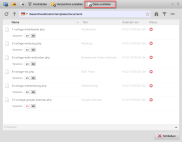
Content templates for pages / objects - Create template
Step 3: Edit existing templates
If you would like to edit the existing templates, you can also use the"Edit templates" button to switch to the directory of available templates and edit them like normal
pages.
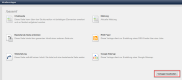
Content templates for pages / objects - Edit templates
Please note
Many other functions are available for editing templates. You can find a complete overview in the online help:
"Directory settings - Templates"